 How-to
How to Collect Guest Video Messages at a Birthday Party
Last Updated: 8 November 2026
Quick Summary
To collect guest video messages at a birthday party, set up a quiet station with a phone or tablet and a large QR code that guests scan on their own device. Give each guest a one-line prompt on a card, and ask them to keep clips short.
- Set up the station before guests arrive, away from the buffet and loud speakers.
- Display the QR code large and clear, and also share a direct link.
- Write clear one-line prompts on a card at the station.
- Keep each message short, since long clips are harder to edit.
- Send prompts a week before the party with a clear deadline.
Table of Contents
- Giving Guests Birthday Video Message Prompts and Length Guidance
- Collecting Clips, Gathering Remote Wishes and Making Your Birthday Video Montage
- Frequently Asked Questions
Collecting guest video messages at a birthday party is easier than most hosts expect. A small, well-placed station does most of the work: a quiet corner, a phone or tablet, and a QR code guests scan with their own device.
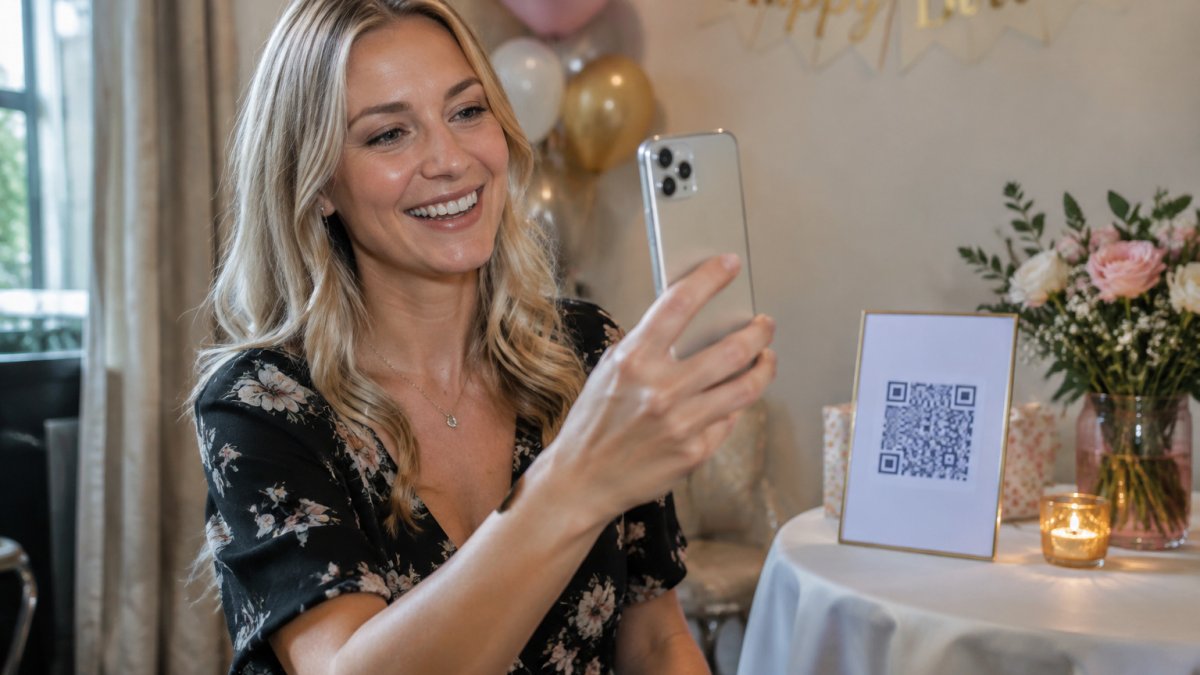
Set up the station before guests arrive. For guidance on finding reliable equipment or hire support for the event, read How to Find Reliable Photo Booth Hire for Your Event. Choose a spot with a plain background and good light, away from the buffet and loud speakers. Keep the QR code large and clear on a sign near the entrance and at the station.
Give guests a direct link too, not just the QR code. Some people will want to send their guest video messages from home later.
Giving Guests Birthday Video Message Prompts and Length Guidance
Most guests freeze when a camera appears. Clear, one-line prompts fix that by giving them something to say straight away.
Keep messages short, since long clips are harder to watch back and edit into a montage.
Write the prompts on a card at the station so guests can read them while they record.
Clear prompts and sensible length limits make the clips easier to collect and edit.
| Stage | What to do | Key detail |
|---|---|---|
| Prompts | Give each guest one clear line to say | Written on a card at the station |
| Message length | Keep each clip short | Shorter clips are easier to edit |
| Reminder | Send prompts a week before | Gives time to edit the montage |
Collecting Clips, Gathering Remote Wishes and Making Your Birthday Video Montage
Guests who cannot attend still want to take part. If you are wondering whether a professional service can handle video collection and montage, the FAQ answers common questions. Send them the direct link and the same prompts a week before the party, with a clear deadline so you have time to edit.
Once the clips arrive, sort them into a simple order. Start with the friendliest messages and end with the most emotional one. Trim each clip to its best moment, then add a short title card and the birthday star's name.
For a finished montage, use a basic editing app and keep the total length short. Share the final video with everyone who sent a message. If you want help producing a polished keepsake, you can visit our website for current details. You can check what our service costs before you decide.
Frequently Asked Questions
How do you collect video messages from guests at a birthday party?
Set up a quiet recording spot with good lighting and a phone on a stand, and display a QR code that opens a guest upload page. Give each guest one simple prompt, such as a favourite memory or a birthday wish. Collect messages during the party, and invite absent guests to add their greetings afterwards.
How long should a birthday video message be?
Short clips are easier to watch when you combine them into a birthday video montage, and guests are more likely to finish recording. Tell guests the target length before they start, and let them know that a single sentence is perfectly fine.
How can guests record a video message without downloading an app?
Use a QR code or direct link that opens in the phone's web browser, so guests can record straight away with no installation. Test the link on your own phone before the party so you know what guests will see.